Cloud-init templates
Cloud-init templates store reusable user-data for new machines. The catalog is shared across the Vmango installation, like SSH public keys. Authenticated users can create, view, edit and delete templates.
Create and use a template
- Open Cloud-init templates and create a template with a name, optional description and user-data text.
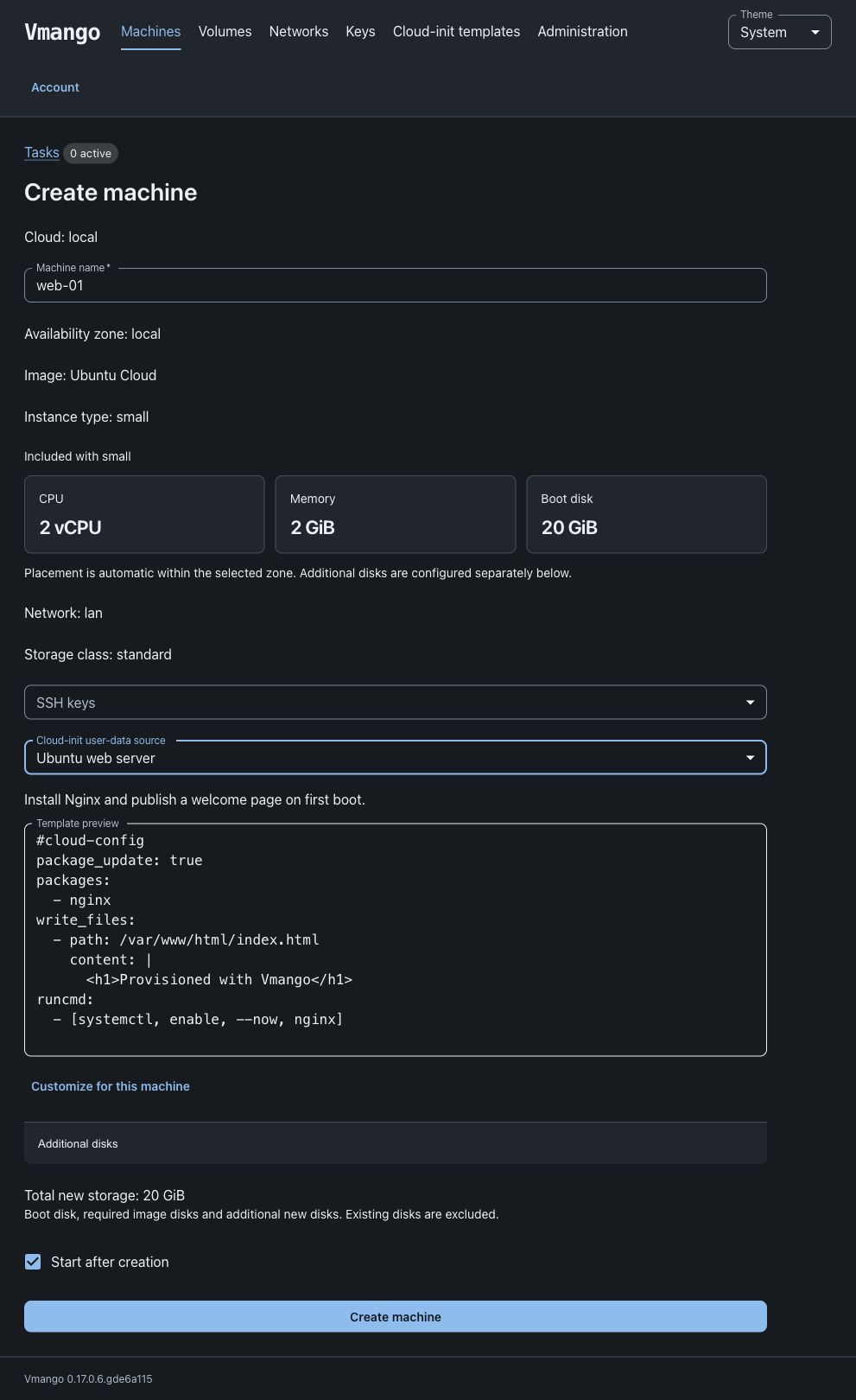
- Open Create machine and select an image that supports initialization.
- Select one saved template and review its contents. Select Customize to copy it into the manual editor for this machine without changing the catalog.
- Select SSH keys separately and create the machine.
For example, this cloud-config writes a marker on first boot:
#cloud-config
write_files:
  - path: /etc/vmango-provisioned
    permissions: '0644'
    content: |
      Provisioned with a saved Vmango template.
Select None to omit user-data, or Custom to enter user-data manually.
Only one source can be selected. Images with initialization = "none" cannot
use a template or custom user-data.
Vmango preserves the submitted text. It does not merge templates, substitute variables or restrict user-data to YAML; cloud-init scripts and MIME documents can also be saved. Both saved and manually entered user-data must contain at most 256 KiB of UTF-8 text without null characters. SSH keys and the hostname continue to use the existing config-drive metadata. Their interaction with explicit user-data settings is governed by cloud-init.
Revisions and accepted tasks
The form submits the revision that was reviewed. If another user edits the template before creation is accepted, reload and review the updated contents. Editing and deleting templates also require the current revision, preventing one user from silently overwriting another user’s changes.
When Vmango accepts a creation task, it saves a private copy of the selected user-data with that task. Later edits or deletion of the template do not change accepted tasks or existing machines. Repeating an accepted request with the same idempotency key returns its original task.
Storage
The application creates a private template directory configured by:
cloud_init_templates_dir = "/var/lib/vmango/cloud-init-templates"
The default is ~/.vmango/cloud-init-templates. The directory must be dedicated
to this catalog and writable by the Vmango service account. Vmango uses 0700
for the directory and 0600 for its files; a second process cannot open the same
catalog concurrently. Include this directory in protected backups. Template
contents may contain credentials and are stored on disk without encryption.
The catalog list omits user-data. Template detail responses require authentication and are not cacheable. User-data is excluded from public task history and is removed from private task payloads when those tasks finish.
API
Use /api/v1/cloud-init-templates to list or create templates and
/api/v1/cloud-init-templates/{id} to read, update or delete one. Updates and
deletions include the reviewed revision; stale revisions return HTTP 409.
Machine creation accepts either user_data or a reference:
{
  "user_data_template": {
    "id": "b96c873d-4997-44b0-8bbd-5ed72aac4824",
    "revision": "3f94ce75-1fce-44c4-933e-c4e287ce866d"
  }
}
Supply the other required machine fields and the Idempotency-Key header as
usual. The authenticated API documentation in Vmango describes the complete
request schemas.